
How to Create a Restaurant Menu from Scratch ?
Creating a restaurant menu from scratch is one of the most important steps in building your brand identity and shaping your customers’ dining experience. Your menu isn’t just a list of dishes — it’s your restaurant’s story, personality, and marketing tool all in one. A well-structured menu helps you attract customers, influence their decisions, and increase profits.
If you’d like to understand the emotional and strategic role of your menu, check out our related article Why Your Menu Is the Heart of Your Restaurant — it explores how design, psychology, and storytelling come together to form your restaurant’s identity. For the full framework, read our main EasyMenus guide Create Restaurant Menu – The Complete Guide for 2026 to see how all elements connect seamlessly across strategy, design, and digital tools.
In this guide, we’ll walk you step by step through how to create a restaurant menu that not only looks great but also works smart — and we’ll show how EasyMenus, the leading AI-powered digital menu platform, can simplify and accelerate the entire process.
Before writing a single dish name, clarify your restaurant’s concept. Are you serving casual burgers, fine-dining cuisine, or vegan street food? Every choice — from colors to pricing — should reflect that vision.
Ask yourself:
Who is my ideal guest?
What kind of dining experience do I want to offer?
How should guests feel when reading my menu — excited, comforted, adventurous?
Your menu language, design, and layout must speak directly to that audience. For example, a trendy café targeting young professionals might use playful, modern wording and minimalist design, while a high-end steakhouse might opt for elegant typography and sophisticated dish descriptions.
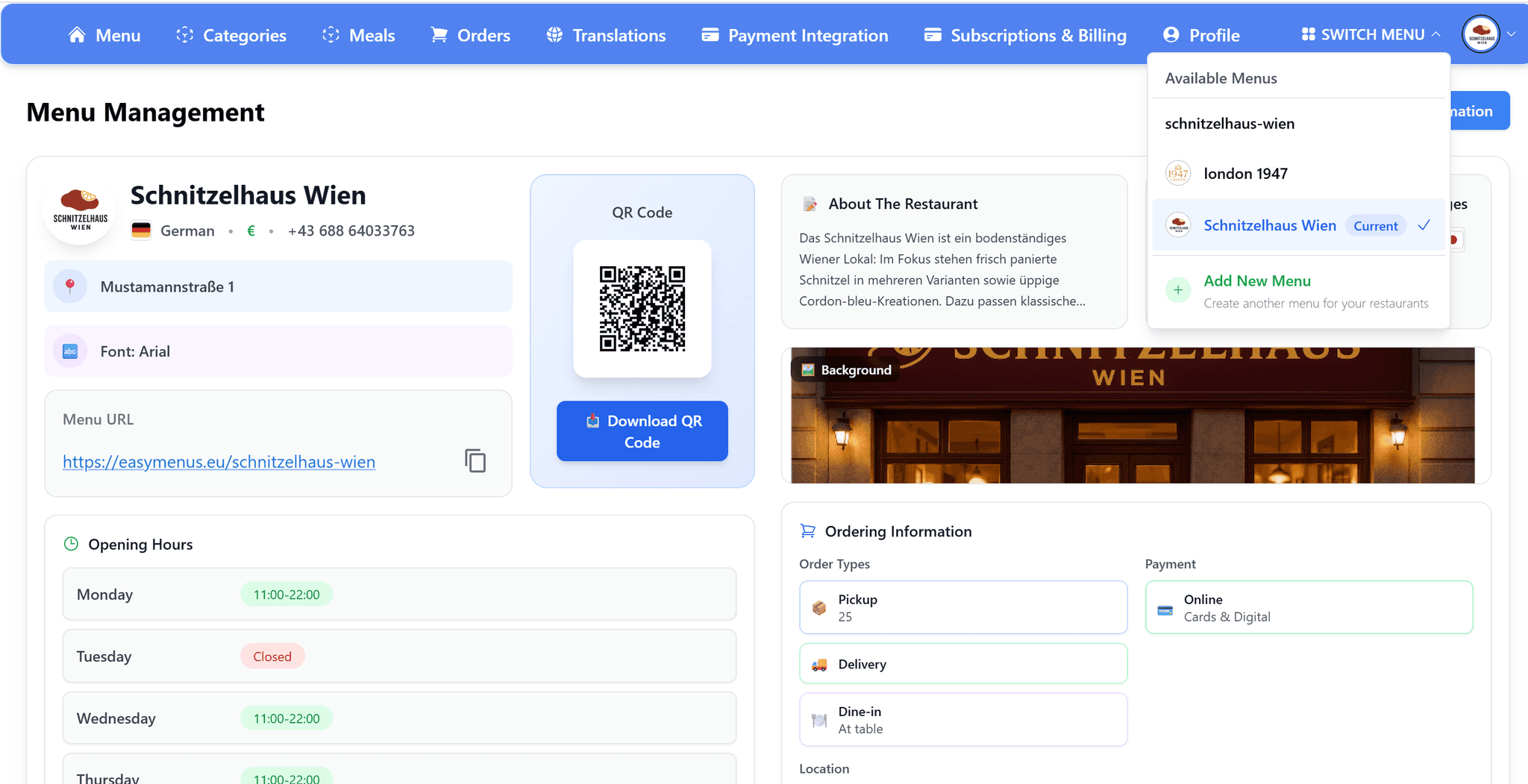
With EasyMenus, you can even create multiple digital versions of your menu for different audiences or occasions — for example, a business lunch menu and a weekend brunch menu — all under one dashboard. For inspiration, explore How to Create a Restaurant Menu to see how top restaurants balance concept with clarity.
A successful menu is easy to navigate and visually balanced. Divide your dishes into clear, intuitive sections such as:Starters / Appetizers, Main Courses, Sides, Desserts, Drinks.
Limit the number of options per section. Too many choices can overwhelm customers and slow down decisions — a concept known as menu fatigue. Ideally, offer 6–8 items per category.
To make sure the layout feels natural, use the “Golden Triangle” rule: readers’ eyes typically move first to the center, then top right, then top left of a page. Place your best-selling or high-profit dishes in these spots.
With EasyMenus, you can easily reorder items and preview layouts digitally before printing or publishing them. This helps you see exactly how customers will perceive your menu online and on mobile — a principle also discussed in Why Your Menu Is the Heart of Your Restaurant.
Once you have your categories, start brainstorming dishes that match your concept and kitchen capacity. Make sure each item fits your workflow — adding a complex dish that slows down service can hurt the overall experience.
Before finalizing, test every recipe for taste, presentation, and consistency. Consider portion size and ingredient cost to ensure profitability.
EasyMenus allows you to store all dish data — ingredients, allergens, filters (like vegan or spicy), and images — so your menu can update automatically whenever a recipe changes.
Menu pricing is both an art and a science. The goal is to balance profitability with customer perception.
Here’s how to approach it:
Determine food cost per dish by adding up all ingredients and dividing by portion size.
Set a target food-cost percentage (most restaurants aim for 25–35%).
Adjust for perceived value — for instance, a €15 pasta in a fine-dining restaurant might feel cheap, but in a casual café it might feel pricey.
Also, use psychological pricing — customers often perceive €14.90 as significantly cheaper than €15.00. Highlight your most profitable dishes with subtle icons or placement rather than bold “Most Popular” tags.
EasyMenus includes analytics that track which dishes perform best, allowing you to adjust pricing and layout in real time — a tactic covered in more depth in our How to Create a Restaurant Menu article.
Good copywriting turns a simple dish into a must-try experience. Keep descriptions short but sensory: describe flavors, textures, and emotions.
Example: “Grilled salmon with lemon-dill butter, served on a bed of roasted baby potatoes.”
Avoid overly technical or foreign terms unless your audience expects them. Clarity and appetite appeal are key.
With EasyMenus, you can instantly translate descriptions into multiple languages for international guests — maintaining tone and style across every version.
Even the best dishes can be overlooked if your menu design feels cluttered. Keep these design principles in mind:
Use consistent fonts (no more than two).
Choose brand-matching colors — earthy tones for organic concepts, deep reds for fine dining.
Prioritize readability — avoid long text blocks and ensure comfortable font sizes.
Add one strong image per section rather than a collage.
Digital menus created through EasyMenus are optimized for mobile and tablet views, guaranteeing a flawless customer experience on any device.
Before printing or publishing, gather feedback from staff and loyal customers. Ask:
Is it easy to navigate?
Are prices clear and justified?
Do any dishes feel misplaced?
Once live, monitor sales to see what performs best and make adjustments. With EasyMenus, these changes happen instantly — no need to reprint or redesign manually.
In today’s fast-moving restaurant world, flexibility is everything. Digital menus let you:
Update dishes and prices instantly.
Add seasonal specials without redesign costs.
Integrate with QR codes for seamless ordering.
Analyze customer behavior to refine offers.
That’s exactly what EasyMenus was built for. Its AI can import your PDF or text menu, categorize items automatically, and generate a polished digital layout — saving you hours of manual work.
Creating a restaurant menu from scratch might seem daunting, but approached step by step, it becomes a rewarding, creative, and strategic process that defines your brand and customer experience. By understanding your audience, balancing design, and pricing smartly, you’ll create a menu that delights guests and drives profits.
For a full overview and additional resources, explore the complete guide Create Restaurant Menu – The Complete Guide for 2026 and dive deeper into Why Your Menu Is the Heart of Your Restaurant to understand the philosophy behind great menus.