
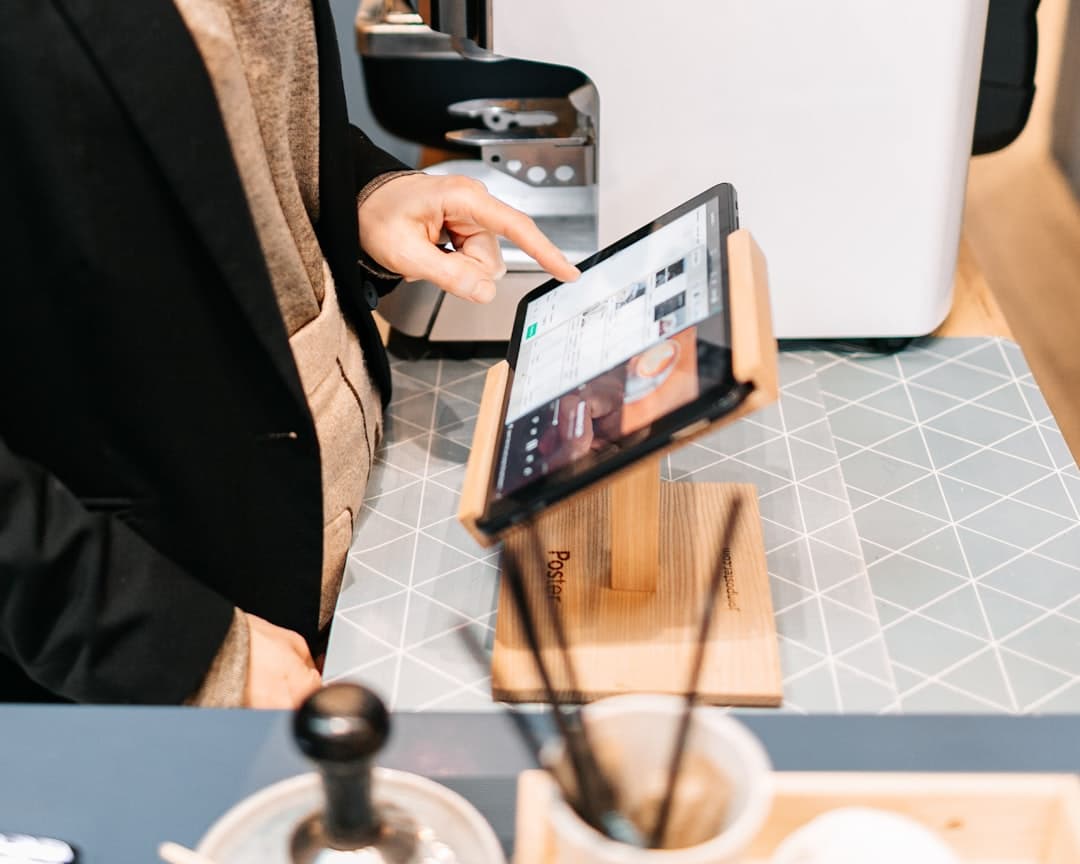
What the best restaurant digital menu software should actually help you do
The best restaurant digital menu software is not simply a mobile menu page. It is an operational tool that helps you control menu accuracy, reduce manual work, improve guest convenience, and create a smoother ordering experience. For some restaurants, the biggest win is eliminating constant PDF edits and reprints. For others, it is faster pickup ordering, better visibility across locations, or the ability to publish a multilingual menu in a tourist-heavy area. In 2026, the strongest platforms are the ones that make menus easier to launch, easier to maintain, and easier to grow. When you compare options, focus on how quickly your team can go from menu file to live digital menu, how easy it is to make real-time updates during service, and whether the system supports the service modes and workflows you actually run every day.
Learn more: Questions to Ask Before You Buy Restaurant Menu Software
Start with the operational problem, not the feature list
Before you compare vendors, identify the problem you want to solve first. Is your team losing time updating PDFs? Are phone orders creating errors during busy hours? Do guests need a faster QR code menu experience? Are you expanding to pickup and delivery? A clear problem statement helps you filter out tools that look good in a demo but do not reduce friction in real service.
Define success before you evaluate software
Set practical buying criteria. Good examples include time to launch, ease of updating prices, how quickly out-of-stock items can be hidden, whether guests can order and pay from the menu, and whether managers can control multiple service modes from one place. These are the outcomes that affect labor, guest satisfaction, and revenue.
Match the platform to your service model
A quick-service café, a full-service restaurant, and a multi-location group do not need the exact same setup. Make sure the software fits your mix of dine-in, pickup, delivery, seasonal menus, daypart changes, and staffing reality. The best fit is the one your team will actually keep updated week after week.
Top 10 features to compare before you buy restaurant menu software
When you compare restaurant menu software, look beyond design templates and basic QR code generation. The top features to compare are: 1) fast menu setup and import, 2) intuitive menu builder and category structure, 3) real-time menu updates, 4) mobile-first QR code menu publishing, 5) online ordering for dine-in, pickup, and delivery, 6) secure payment processing with flexible payment methods, 7) order management with confirmations and tracking, 8) multilingual menu support, 9) controls for service modes, timing, and multi-location complexity, and 10) branding, performance, and professional PDF export. A platform such as EasyMenus stands out when it shortens setup with AI-powered PDF import, supports 16 languages, enables real-time updates, and combines digital menus with ordering and Stripe-powered payments in one workflow.
Learn more: 10 Features Every Restaurant Digital Menu Software Should Have
1-4: Setup and daily menu management features
Start with the features that determine how fast you can launch and how easy the system is to maintain. Fast setup matters because most restaurants already have a menu in PDF, print, or spreadsheet form. EasyMenus supports AI-powered menu import from PDF, extracting items, prices, and categories with 99% accuracy so your team can avoid rebuilding from scratch. After setup, look for a clean builder, clear category structure, item images, and real-time updates that go live in seconds.
5-7: Ordering, payments, and service flow features
If your software stops at displaying menu items, you may still be leaving revenue and efficiency on the table. Strong digital menu software should let guests place orders for dine-in, pickup, and delivery, then pay using secure online methods or cash where needed. EasyMenus supports complete online ordering, Stripe integration, automated confirmations, order tracking, and kitchen notifications. These are the features that help reduce manual handoffs and make service more predictable.
8-10: Growth, guest experience, and brand control features
Multilingual support is increasingly important for tourist areas, diverse neighborhoods, and restaurants that want a more accessible guest experience. EasyMenus supports menus in 16 languages with AI translation and full editing control. Also compare service availability settings, prep times, capacity controls, branding options, load speed, and PDF export. These features matter when you need one system to support both front-of-house presentation and back-office control.
How restaurant digital menu software works, step by step
A good digital menu platform should reduce setup friction from day one. The workflow should be simple enough for a busy manager to understand quickly, but flexible enough to support real restaurant complexity. In practice, the process should move from import or menu creation, to service configuration, to publishing and ongoing optimization. If any step feels too manual, too technical, or too dependent on one person, rollout will slow down and updates will get skipped.
Learn more: How to Switch From PDF Menus to Digital Menu Software Without Rebuilding Everything
Step 1: Import your existing menu or build it digitally
Most restaurants do not want to recreate every menu item from scratch. The software should let you upload an existing PDF or use a builder to create categories, modifiers, prices, and images. This is where AI-powered import can save significant time. With EasyMenus, a PDF can be converted into a structured digital menu quickly, which makes the switch far easier for teams with a large menu or frequent changes.
Step 2: Configure ordering, timing, and payments
Once the menu is structured, set up your service modes and rules. This includes dine-in, pickup, and delivery availability, prep times, ordering windows, and any capacity controls you need during peak demand. Then connect payments and choose which methods to accept. A strong setup should support secure Stripe-powered payments, customer confirmations, and order tracking without creating extra steps for staff.
Step 3: Publish via QR code or link, then manage in real time
After setup, publish the menu through a QR code, direct link, or both. Train staff on the few actions that matter most: updating an item price, marking something unavailable, adjusting a service window, and checking incoming orders. From there, the system should support fast edits from anywhere. Real-time updates are critical when you run specials, sell out of key items, or need to change an ETA during a dinner rush.
Photo by Niels Kehl on Unsplash
How to compare costs, workflows, and ROI
Price matters, but subscription cost alone is a weak buying filter. The better question is how much work the software removes and how much revenue opportunity it creates. A lower-cost tool can become expensive if it takes hours to update, does not support ordering, or makes multi-location control difficult. A higher-value platform usually pays off through time saved, fewer ordering errors, faster updates, and stronger guest convenience. In 2026, restaurant teams should compare both direct software cost and the operational cost of slow workflows.
Learn more: How to Calculate ROI From Digital Menu Software
Look at total operating cost, not just monthly price
Include the hidden costs of your current process: reprinting menus, manually editing PDFs, staff time spent answering routine menu questions, and missed orders when your phone line is busy. Then compare that with the software's monthly cost, setup effort, and payment flow. If a platform is easy to launch and maintain, the time savings alone can change the economics.
Map the workflow from edit to guest order
Ask each vendor to show the full path: how a manager updates a menu item, how fast the change appears live, how guests place an order, how the kitchen is notified, and how customers receive confirmation. The cleaner the workflow, the less training you need and the fewer service gaps you create. This is especially important for cafes and restaurants that change items frequently.
Estimate payback with a simple ROI model
Build a basic model around labor saved, print costs reduced, order volume captured outside phone calls, and potential lift from easier ordering. You do not need a complex spreadsheet to compare options. You need a realistic view of how each platform affects time, errors, and revenue. If available, use a free trial to test with a live menu before you commit. EasyMenus offers a 14-day free trial with no credit card required, which makes hands-on evaluation easier.
Photo by Caden Norcott on Unsplash
Best practices for choosing software that is easy to launch and grow with
The smartest buying process is practical, not theoretical. Do not choose restaurant digital menu software based only on a polished demo. Use your real menu, your real service constraints, and your real update frequency. The right platform should work for today's needs, but also support growth, seasonal complexity, and tighter brand control later. That is especially important if you expect to add locations, expand ordering channels, or offer more languages over time.
Learn more: Single-Location vs Multi-Location Menu Software: What to Compare
Use a real menu file during your trial or demo
Always test with an actual PDF, current pricing, modifiers, and at least one complicated category. This shows you how easy the import and editing experience really is. It also reveals how much cleanup is needed before launch. If the process feels slow with your real menu, it will feel even slower when your team is under pressure.
Plan for multi-location and seasonal complexity early
Even if you operate one location today, compare how the software would handle separate hours, different pricing, limited-time items, or location-specific availability in the future. A platform that supports clear service controls and scalable management will save you from a messy migration later. This is where multi-location teams should pay close attention to consistency and control.
Set ownership, update rules, and quality checks
Decide who owns menu edits, who approves changes, and how often the team reviews accuracy. Build a simple checklist for prices, availability, allergen wording, and translations before major updates go live. The best software makes changes easy, but good process is what keeps the guest experience consistent across every shift.

Photo by Vitaly Gariev on Unsplash
FAQ: Restaurant digital menu software
These are some of the most common questions restaurant owners and operators ask when comparing digital menu software for restaurants.
What is restaurant digital menu software?
Restaurant digital menu software is a system that lets you create, publish, and update menus online instead of relying only on printed menus or static PDFs. Depending on the platform, it can also support QR code menus, online ordering, payments, multilingual content, and order management.
Is QR menu software enough, or should it include online ordering?
That depends on your service model, but many restaurants benefit from having both. A QR code menu solves access and update problems. Online ordering adds convenience, helps capture orders more efficiently, and can reduce friction for dine-in, pickup, and delivery. If you want one platform to support both menu access and transactions, compare those features together.
Can I switch from a PDF menu without rebuilding everything?
Yes, if the platform supports PDF import or a fast setup workflow. This is one of the most important features to compare because it affects launch speed and staff workload. EasyMenus is designed for this use case with AI-powered PDF import that converts existing menus into a structured digital format.
How important is multilingual menu support?
It is highly valuable if you serve tourists, international guests, or multilingual local communities. It can also improve clarity for guests who are more comfortable browsing in another language. The key is not just machine translation, but the ability to review and edit translations before they go live.
What should multi-location teams compare first?
Start with control and consistency. Compare how easily the software handles different menus, hours, service windows, and pricing by location. Then look at how quickly updates can be rolled out and whether the system is easy for local managers to use without creating brand inconsistency.
What makes the best restaurant digital menu software in 2026?
In practical terms, it is software that is fast to launch, easy to edit, reliable during busy hours, and flexible enough to support your current and future service model. Look for strong menu import, real-time updates, ordering and payments, multilingual support, service controls, mobile performance, and a workflow your staff can actually maintain.
Conclusion
Choosing the best restaurant digital menu software in 2026 comes down to more than design or price. You need a platform that fits your operating model, simplifies menu management, and supports revenue-generating workflows such as QR ordering, pickup, delivery, and secure payments. Start with the 10 features that matter most, test the workflow with your real menu, and compare how each option performs under everyday restaurant conditions. If the system is easy to launch, easy to update, and ready to scale, you will be in a much stronger position to save time, reduce costs, improve guest satisfaction, and grow without rebuilding your process later.
Want a faster way to compare vendors during demos?
Need to prove the business case before you switch?